 VendorAI
Vet a vendor before the money moves.
VendorAI is the pre-payment check for anyone who approves invoices: bookkeepers, controllers, and small AP teams. Enter a company name, get a plain-English risk score backed by real sources — website age, business registration, ownership, adverse media, and more — in minutes, not a day of manual searching.
Free tier: 3 Quick investigations a month, no credit card. Your data never leaves your device.
Three steps, one number you can trust
Type in what you already have on a vendor — a name, an address, a website, an email. VendorAI runs a set of independent checks through your chosen AI provider, each one searching the live web, and turns the results into a single risk score with the evidence right underneath it.
1. Start an investigation with what you already have
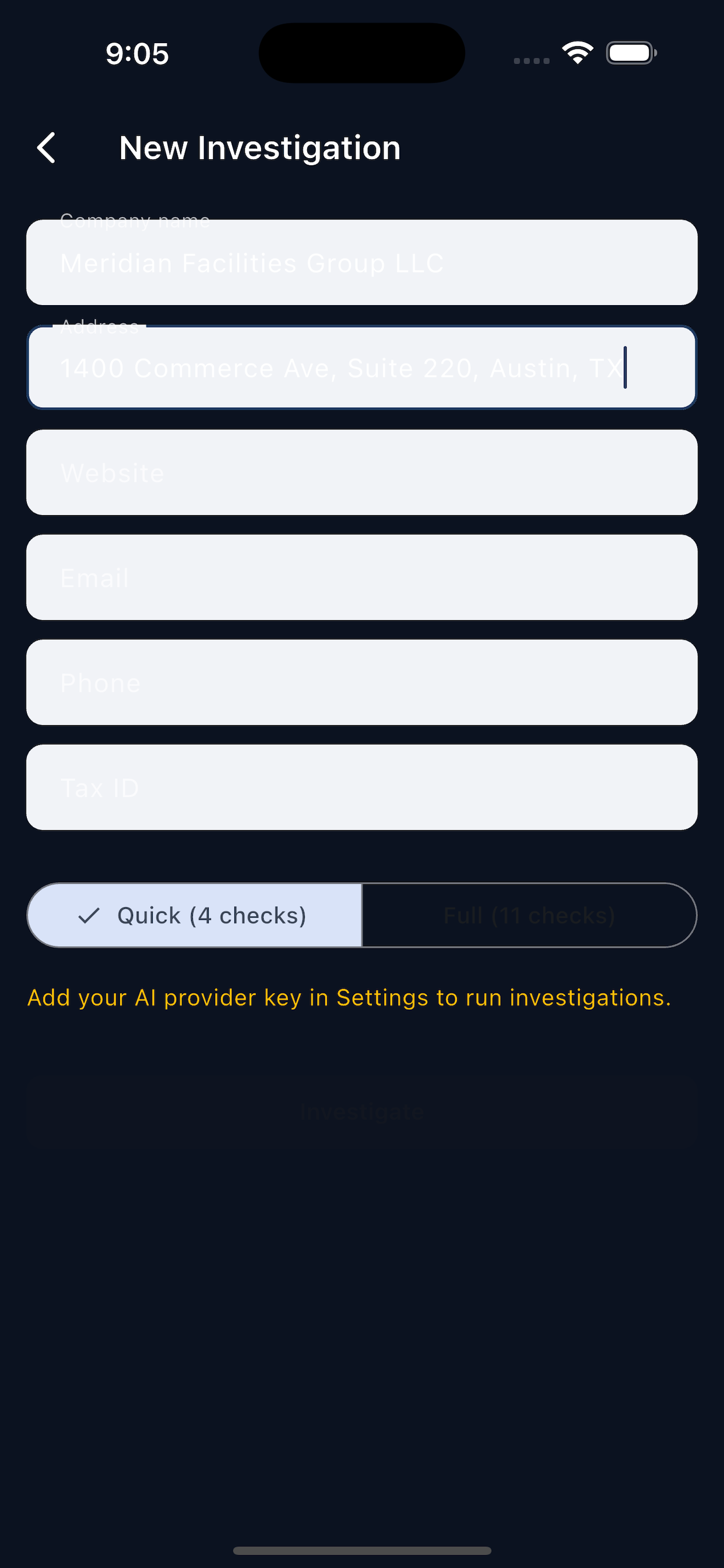
Type it in, paste it from an email, or scan a document. VendorAI only needs a company name plus one more identifier — address, website, email, phone, or tax ID — to get moving.
- Manual entry, paste, or document/invoice scan with OCR
- Choose Quick (4 checks) for a fast first look, or Full (11 checks) before you cut a check
- See the estimated AI cost before you run it
2. Get a risk score with the reasoning attached
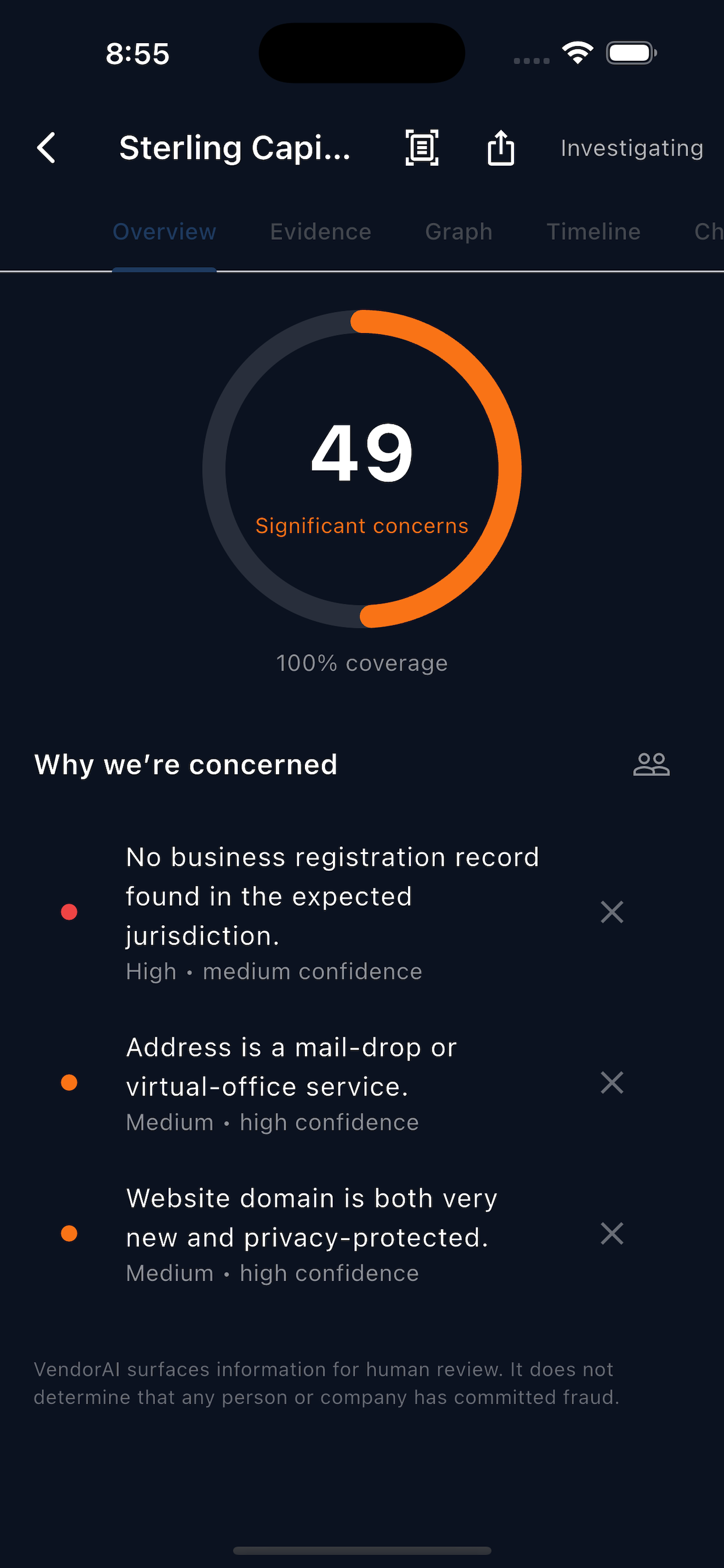
No black box. Every score comes with a "Why we're concerned" list — each item rated by severity and confidence, and traceable to the underlying evidence.
- 0–100 score across six plain-English risk bands
- Coverage shown honestly — "based on 8 of 11 checks" when data is thin
- Dismiss a finding you've verified as a false positive, with the score recalculated
3. Drill in, ask questions, decide — you stay in control
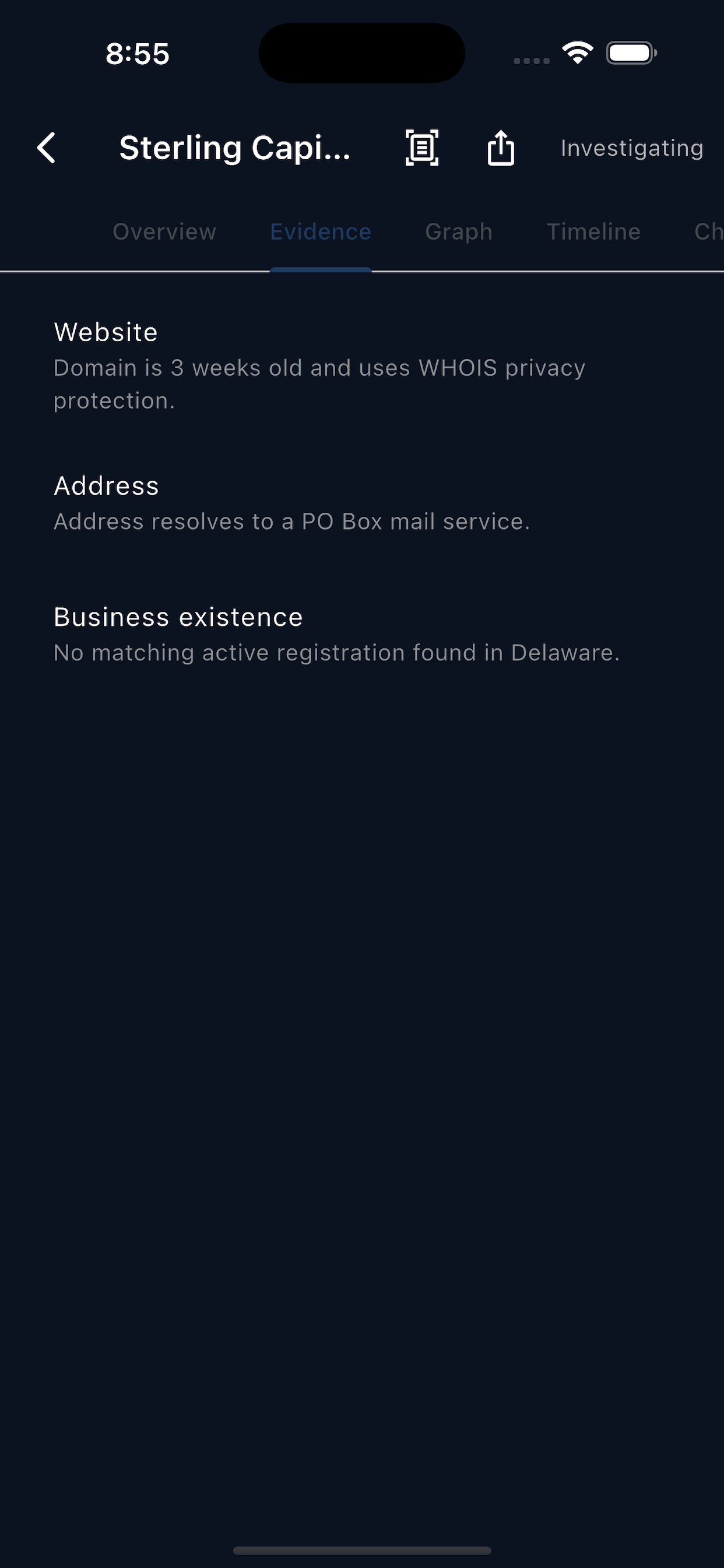
Explore the relationship graph, the evidence timeline, or just ask the built-in chat a follow-up question about the vendor. VendorAI never marks a vendor approved or rejected on its own — that call is always yours.
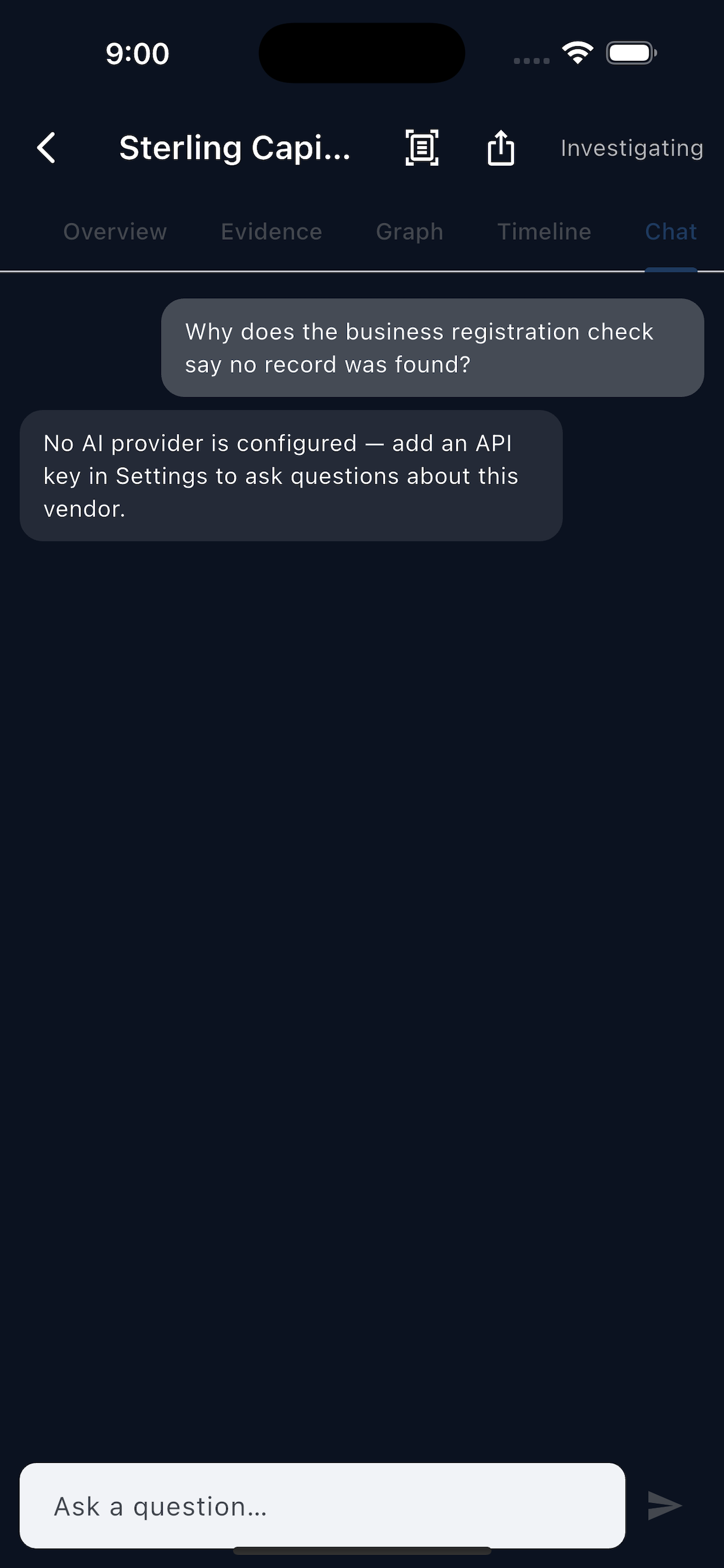
- AI Investigator Chat answers follow-up questions using the same evidence
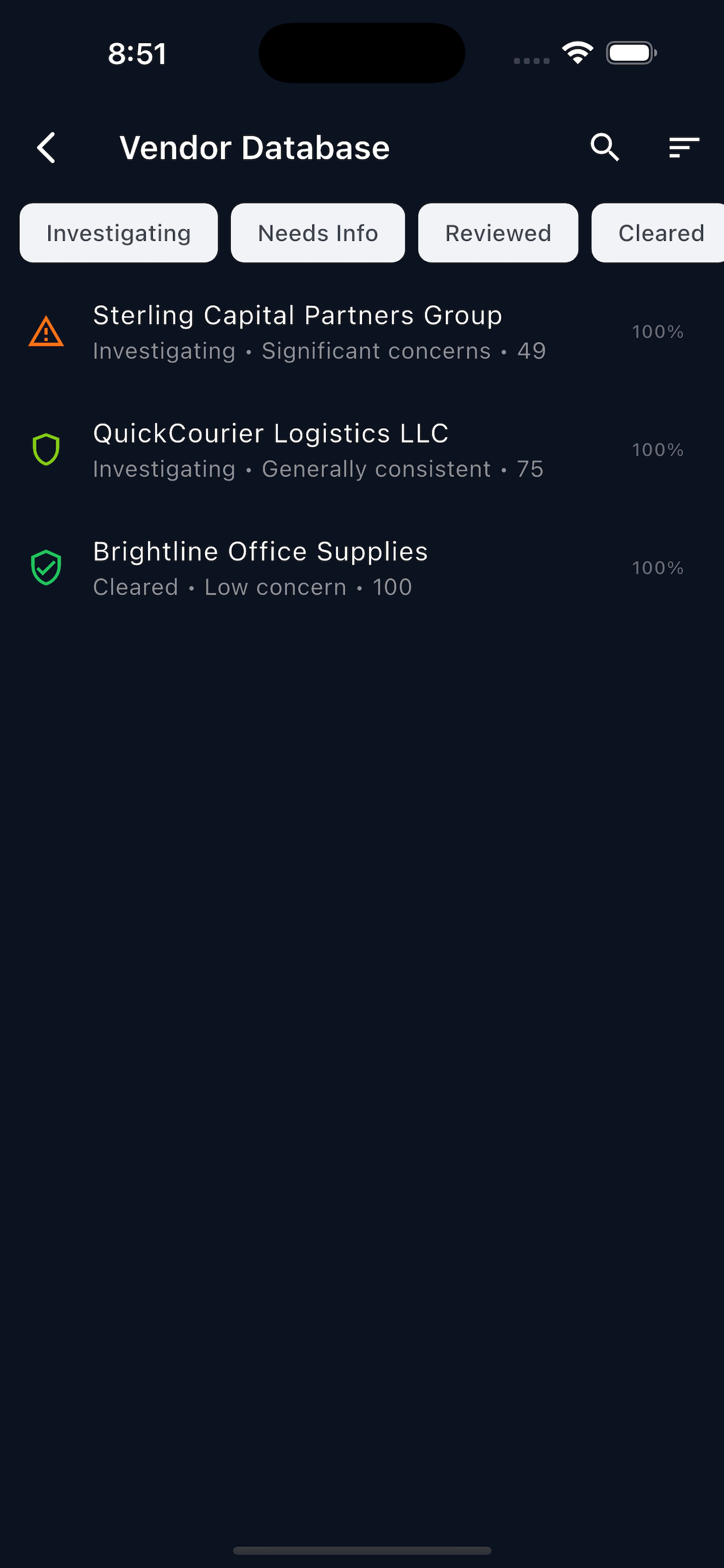
- Relationship graph links shared addresses, owners, and phone numbers across vendors
- Export a PDF or CSV report to attach to your approval workflow
Eleven checks, run against the live web
A Full investigation runs every AI check plus three local checks that cost nothing — all built to catch the patterns that precede vendor fraud and invoice scams.
Business existence
Confirms a matching active registration exists in the expected jurisdiction.
Name match
Checks the legal name against public and commercial records.
Address
Flags mail-drops, virtual offices, and addresses shared with other businesses.
Phone & email
Validates contact details against public listings and disposable-domain patterns.
Website
Domain age, WHOIS privacy, and content consistency with the stated business.
Ownership
Surfaces named owners/officers to seed the officer background and conflict checks.
Reputation
Reviews, complaints, and BBB-style signals from public sources.
Adverse media
News coverage involving the company, treated with person-sensitive care.
Public records
Liens, judgments, and filings tied to the business.
Officer background
Personal bankruptcy, director disqualification, and criminal-proceeding records for named officers — never asserted as a confirmed identity match.
Duplicate vendor
Catches near-duplicate vendors already in your own database.
Invoice diff
Flags bank/payment details that changed since the last invoice — the classic BEC pattern.
Conflict of interest
Cross-references vendor owners against your own employee list.
Six risk bands, not a mystery number
A score always comes with a label you can act on — and VendorAI never tells you a vendor committed fraud. It surfaces evidence; you decide.
No accounts. No backend. No cloud database.
VendorAI was built for people handling vendor and payment data who don't want it sitting on someone else's server.
Local, encrypted storage. Every vendor record, evidence item, and document lives in an encrypted SQLite database on your device. There's no VendorAI server to breach because there isn't one.
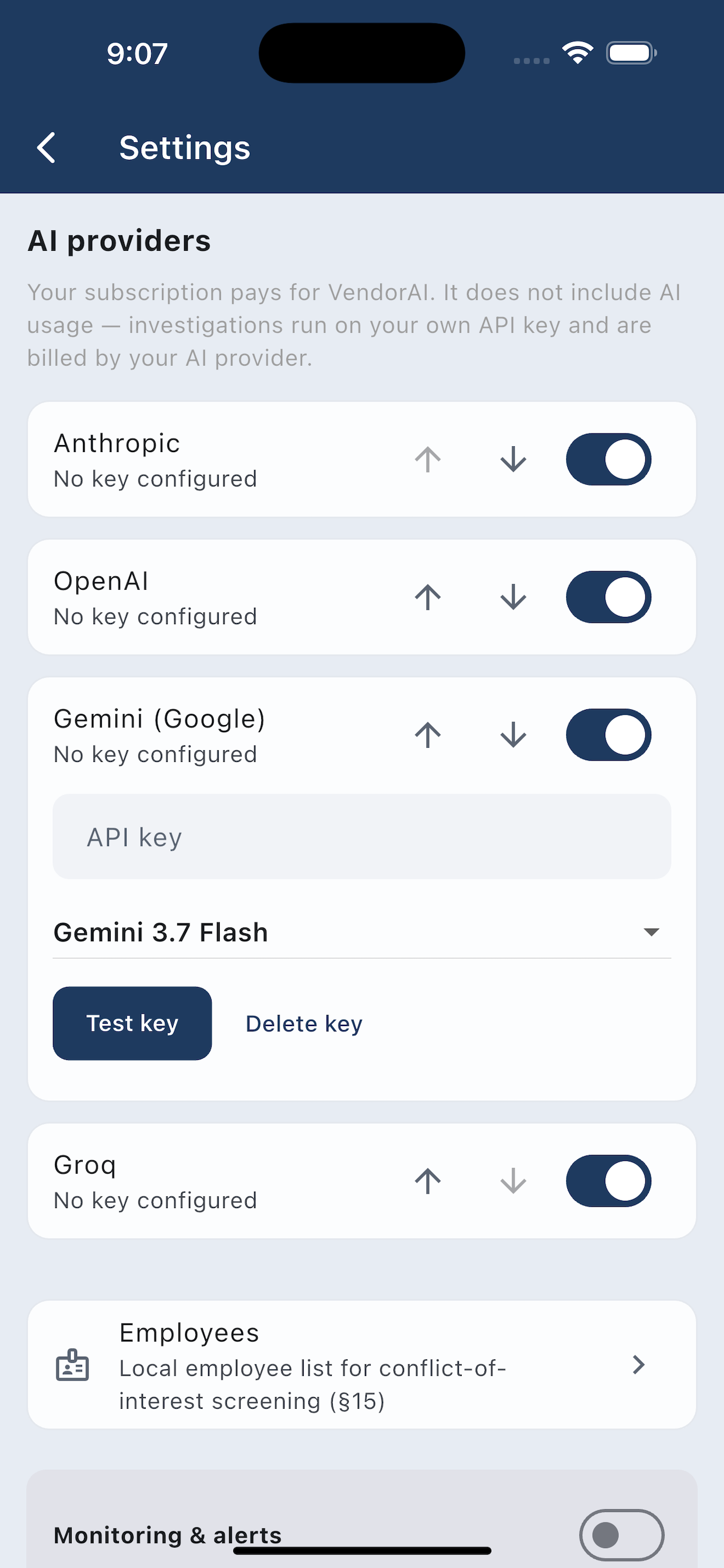
Bring your own AI key. Your subscription pays for the app. AI investigations run on your own API key for Anthropic, OpenAI, Gemini, Groq, or Mistral, and are billed directly by that provider — VendorAI never sees or resells your usage.
Your data, portable. Export everything to a file, wipe it at any time, or load sample data first to try the app risk-free before you connect a real key.
You control every provider and every setting
Enable the providers you want, reorder your preferred fallback order, and turn on opt-in monitoring only if you want VendorAI re-checking vendors in the background. Nothing runs, and nothing costs you AI credit, without your say.
- Optional monitoring re-checks vendors and raises alerts on ownership, address, or bank-detail changes
- Background re-checks are off by default — you opt in explicitly
- Local employee list powers conflict-of-interest screening, never leaves the device
Start free. Upgrade when you need Full-depth checks.
VendorAI's subscription pays for the app itself. AI investigation usage is separate and billed by whichever provider's key you connect.
Free
- 3 investigations per month, Quick depth
- Manual and paste entry
- Vendor database with risk bands
- Sample data mode included
Pro
Unlimited investigations
- Unlimited Quick and Full investigations
- Document/invoice scanning with OCR
- AI Investigator Chat
- PDF and CSV report export
- Officer background checks
Business
Everything in Pro
- Everything in Pro
- Relationship graph across your vendor database
- Monitoring & alerts for vendor changes
- Conflict-of-interest screening against your employee list
Good to know
Does VendorAI tell me if a vendor is committing fraud?
No — and it's built not to. VendorAI never asserts fraud, criminality, or a scam anywhere in the app, in AI output, or in exports. It surfaces evidence and a risk score for you to review; every status change (approve, reject, flag for review) is a human decision.
Do I need an account?
No. There are no accounts and no VendorAI backend. All vendor data stays in an encrypted database on your device.
What does "bring your own AI key" mean?
Your VendorAI subscription pays for the app itself. Running an investigation calls out to an AI provider (Anthropic, OpenAI, Google Gemini, Groq, or Mistral) using an API key you add in Settings, and that provider bills you directly for usage. You choose which providers to enable and can set a fallback order.
What's the difference between Quick and Full?
Quick runs 4 checks (existence, name, website, address) for a fast first look. Full runs all 11 AI checks plus 3 local checks — including officer background, adverse media, public records, and conflict-of-interest screening — for a complete picture before money moves.
Can I trust a finding about a named person?
Findings about named individuals — adverse media and officer background especially — always get sensitive treatment and are never presented as a confirmed identity match. Treat them as a starting point for your own verification, not a conclusion.
Know who you're paying before you pay them.
Download VendorAI and run your first investigation free — no account, no card required.